1
Scan the QR Code
Open your phone's camera and scan the code at the store. Tap the link that pops up. Nothing to install.

Get a free Perks Savings Pass with a qualifying oil change or auto service at a participating store: savings at local restaurants, shops and services, right on your phone.
Local coupons on your phone, free with your service.
Do it at the counter or sitting in your car.
Open your phone's camera and scan the code at the store. Tap the link that pops up. Nothing to install.
Your email is your login. No password, ever. You'll confirm it once with a quick 6-digit code from your email.
Add your pass to your home screen. Your Savings Pass icon sits right next to your other apps, one tap away.
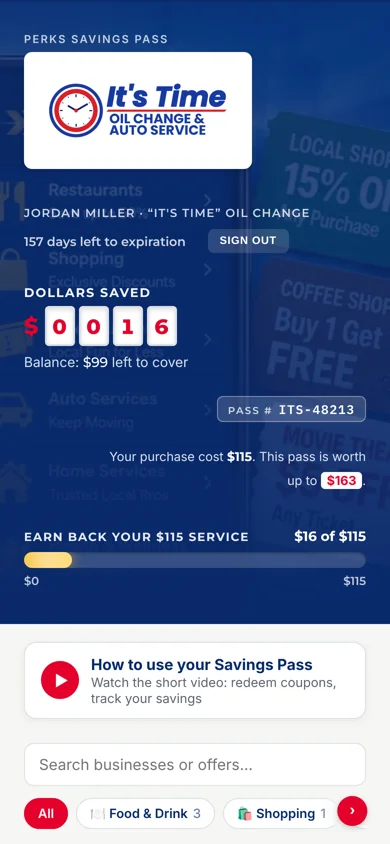
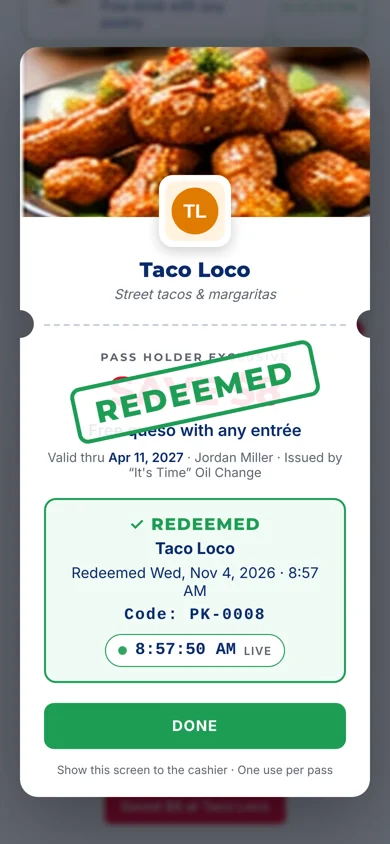
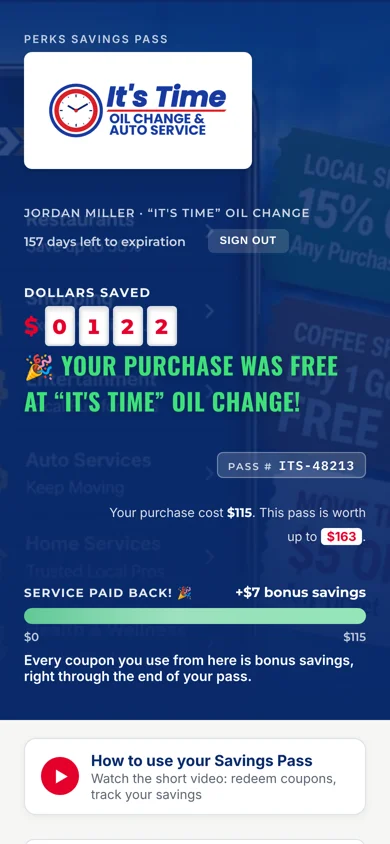
Your dashboard keeps score. Every coupon you use adds to your Dollars Saved and fills your progress bar.
Everything from scanning the code to redeeming your first coupon, in about 4 minutes. It's also on your pass dashboard, anytime.
Yes. It's free with a qualifying oil change or auto service at a participating store. Ask at the counter which services qualify.
No. Your pass opens in your phone's web browser. You can save it to your home screen so it works just like an app.
No password, ever. Your email is your login. The first time, you confirm your email with a 6-digit code. After that, just tap your Savings Pass icon or enter your email.
Yes. On iPhone, open your pass in Safari, tap Share, then "Add to Home Screen." On Android, open it in Chrome and tap "Add to Home screen" or "Install app."
Six months. You can renew it at your next qualifying oil change or auto service.
Each coupon can be used once per pass. When your pass renews, your coupons are ready to use again.
Open your pass at the business, tap the coupon, and show it to the cashier before you pay. Then tap Redeem in front of them. For percent-off coupons, enter your purchase amount before tax and your pass figures out your savings.
Tap your Savings Pass icon. Or find your store below, open its pass page, and tap "Already have a pass? Log in."
Free with a qualifying oil change or auto service at a participating store.
Questions? support@useperkora.com · (877) 773-5669